
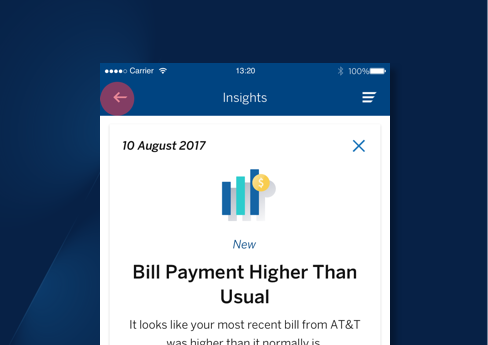
Financial Insights For Better Financial Health
BBVA USA is a leading U.S. bank franchise, spanning the sunbelt. It ranks among the top 25 largest U.S. commercial banks and is the 2nd largest bank in Alabama. The mobile app has earned the Javelin Mobile Banking Leader award for functionality for 6 years in a row. I joined the US design team as a UX Designer on the Digital Channels team at the beginning of 2020, primarily focusing on designing new features.
One of my larger projects was adding predictive, personal, and proactive financial insights to the existing customer journey. The feature is designed to help customers protect and improve their financial health through our partnership with MX Pulse, a next-generation personal financial management tool.

BBVA Helps People Become Financially Fit
Over the last few years, BBVA has made a big push to have all of its customers become financially “fit”, or financially literate. The existing partnership with MX Pulse gave the user Financial Tools to view their accounts, but didn’t give much insight into where their money was going, what their regular expenses were, or how they could save money.
Users & Audience
New & existing BBVA customers using Online Banking and the app that want to become more financially literate.
Roles & Responsibilities
I was the UX Designer on a large agile team. I saw the project from concept to creation. I worked directly with the Product Owner, my design lead, the Global Design Team, Legal & Compliance, and the developers throughout the process. I learned so much from my first project at BBVA, Siri Shortcuts, that I was able to bring to the table for this one. I was able to act as a liaison between the design team and the development team since I speak a bit of front-end language and had a good understanding of how to effectively communicate with them.
Scope & Constraints
Partnering with an existing framework with MX Pulse gave constraints in how the information could be displayed
Our online banking platform has more constraints than our app, but I needed to figure out how to add in the widget in a clean & user friendly way.
In the mobile app, there wasn’t an existing pattern for presenting this type of data, so I had to work with my design lead & the global team to come up with a solution that would meet all of our requirements, be inline with our design library, and look nice, because aesthetics are important.
As with all projects at BBVA, I had to meet with Legal & Compliance to ensure that we were adding space for legal copy that would make both of us happy.
But First…???
Asking questions is a large part of my process. I like to be thorough with my research and I truly immerse myself in my projects. When I’m in the beginning stages of building my flows, I like to check-in with my team and I’ll ask questions such as “What existing components can I use to build out this experience?” In order to make sure that I’m going in the right direction and not missing the mark. I also like to ask myself questions because I want to also strengthen my skillset — you can always learn something new.
The more questions I ask, whether it’s to my team or to myself, the better the end product will be.
So I Began…
After talking with my Product Owner, getting all of the user stories in order, and getting the rundown from my design lead, I began sketching out the flows.
Once I thought through each flow that needed to be built out, I did just that. I designed the mobile flows before the online baking flows. The online banking flows weren’t going to be as complicated as the mobile flows, but they had their own challenges.
Mobile First
When designing for the bank, and for anything really, I believe that designing mobile first is the best course of action. Research shows that in 2020, 3.5 billion people use cell phones - this means that a majority of users will access the mobile version of something before the desktop version making the need for mobile-device-friendly design more significant.
The app flow was decidedly more complicated than the online banking flow. I basically had to start from scratch. Here, I had more freedom to design and show that I knew what components in our app library could come together to create something that would check all of our boxes and be nice to look at - not as easy as a task as you’d think with a global corporation and the constraints that come with that!
The way that I approached the mobile flows was a little bit different than what I did for the Online Banking flows. I spent more time consulting with my Design Lead & met with the global design team in Spain to ensure that what I was doing made sense to everyone, in terms of our app library.
Puzzle Pieces
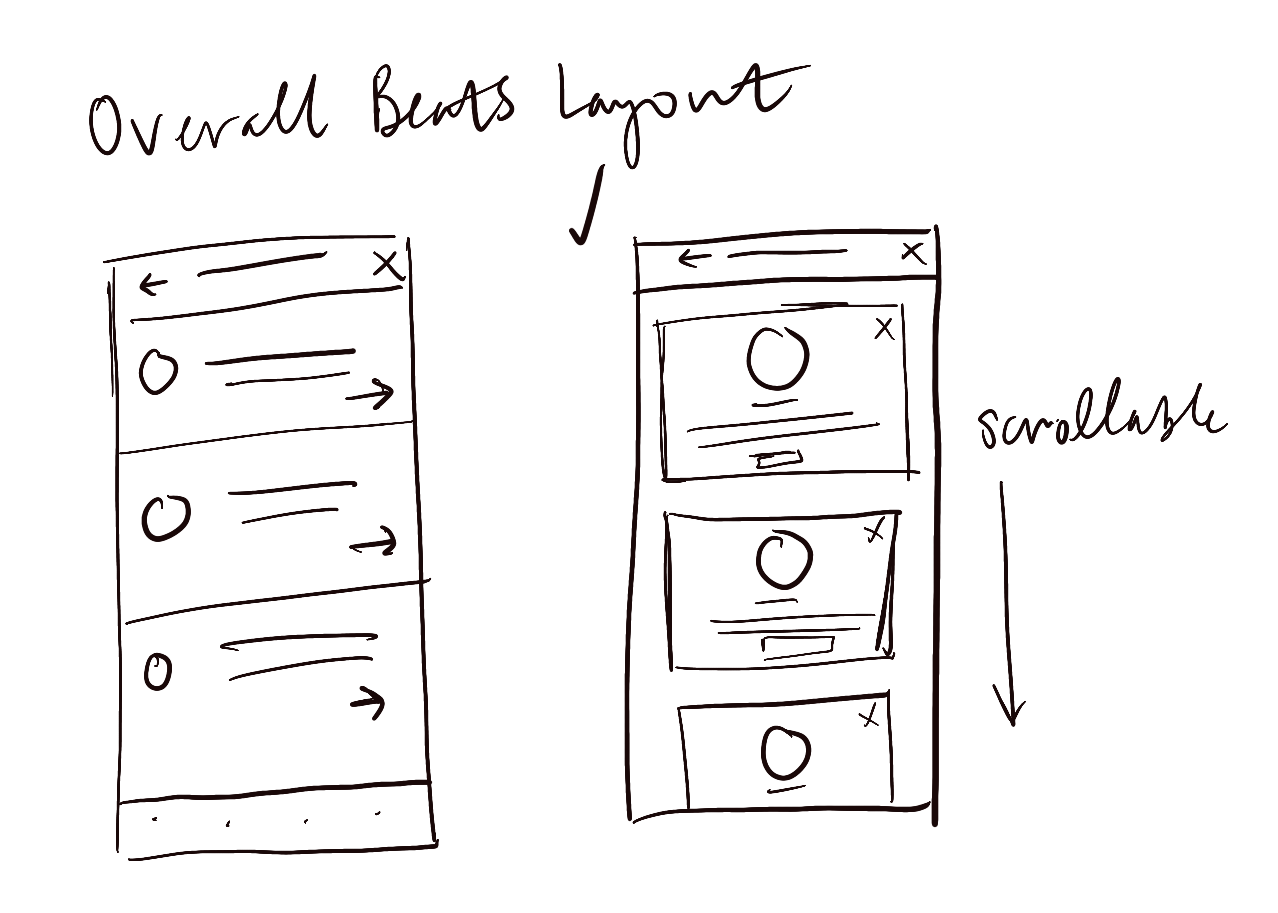
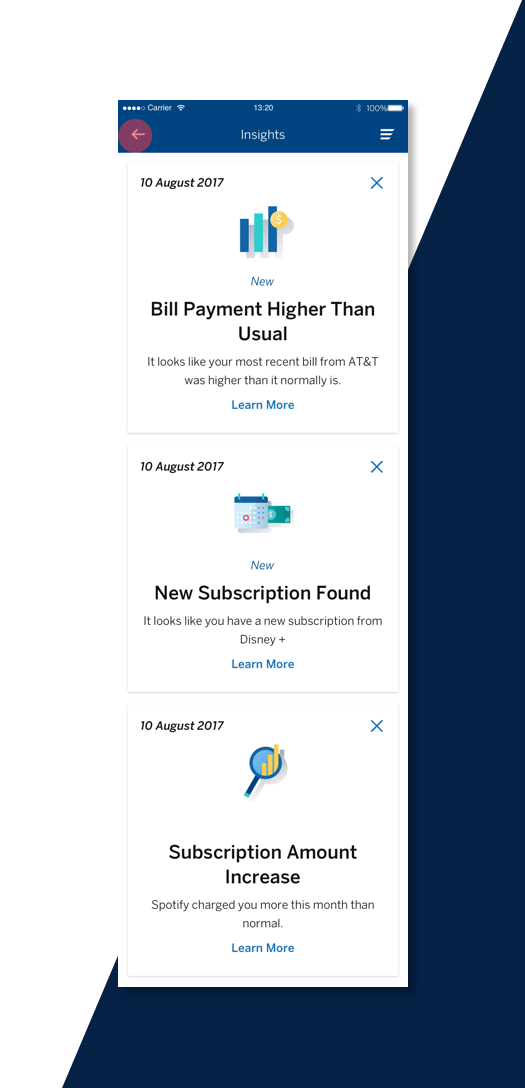
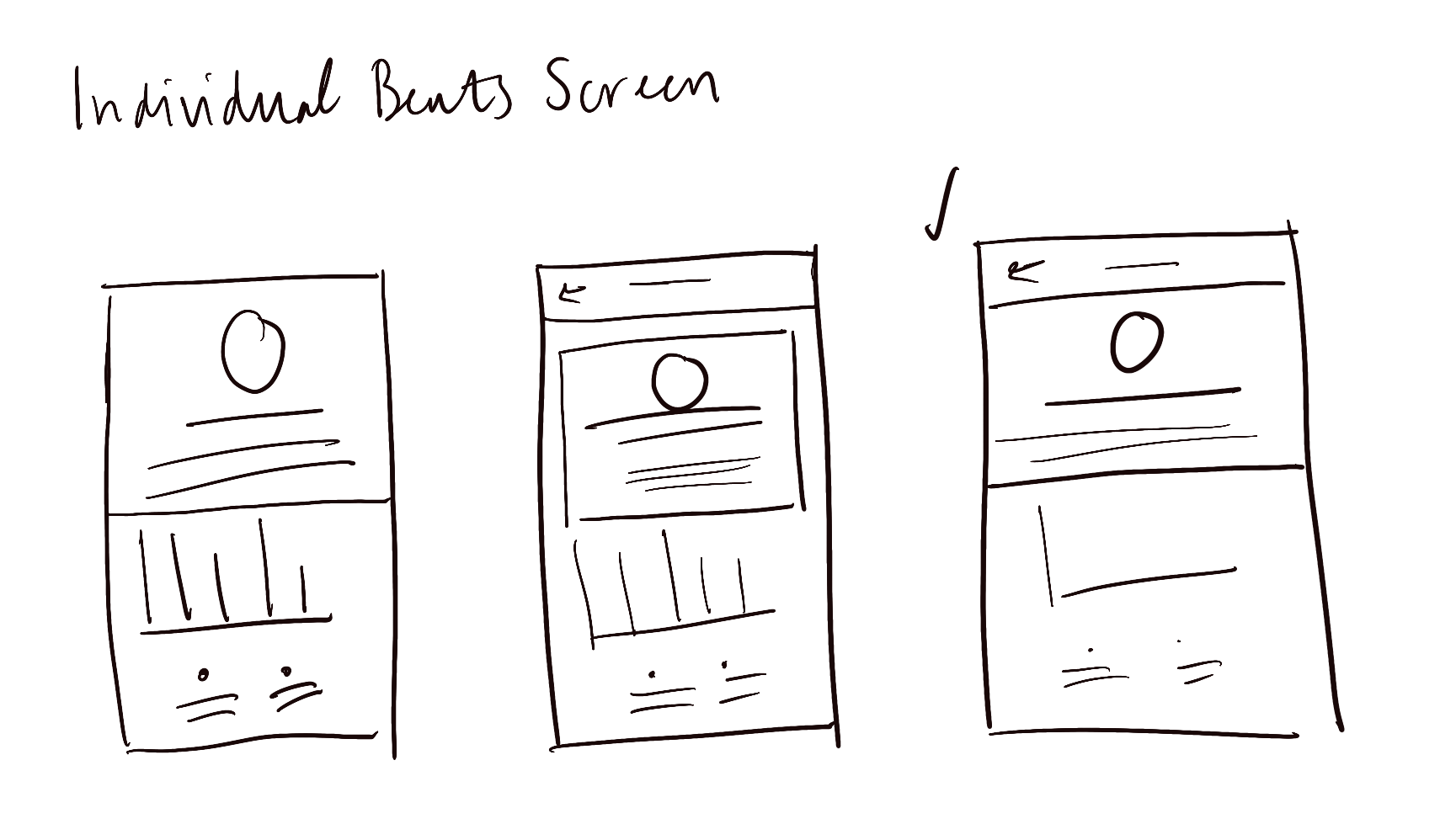
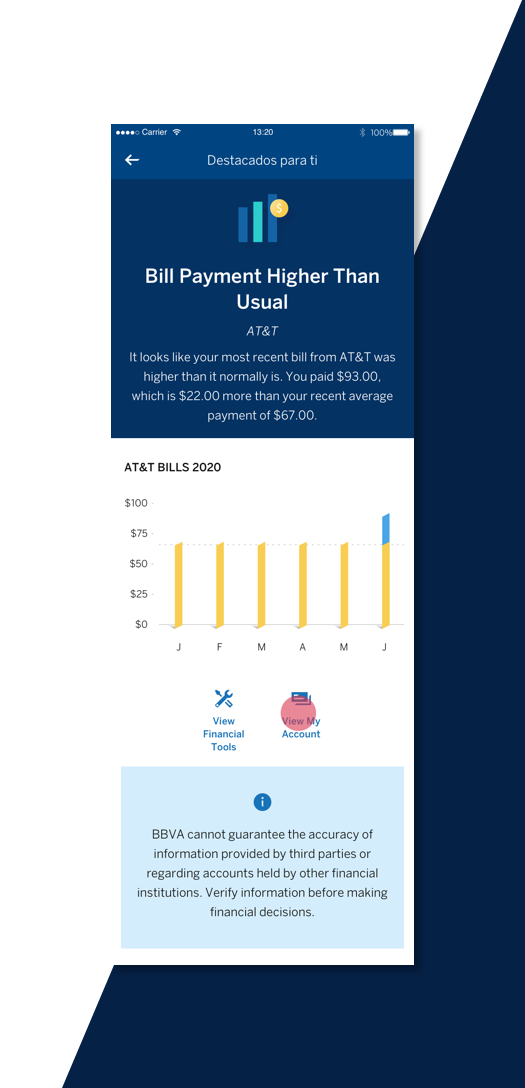
Once I found the components that could match my sketches and made them work for me, I began thinking more in depth about what images I could use to communicate what each beat was saying. Each insight needed to have corresponding graphics, including the graphs and figures displayed on their individual screens. We also needed to give the user the option to take action on each insight, so I added the two button mini menu that would give the user options that made sense for that insight.
BBVA has an extensive app library, and components with very specific purposes. I was able to work with our UX Researcher to figure out what data visualizations might resonate more with users and what placements of certain components would be more attractive to the users. Together, we were able to fit some of those puzzle pieces together.
Additionally, I was in constant contact with our Legal & Compliance department in order to get approval for legal language placement.
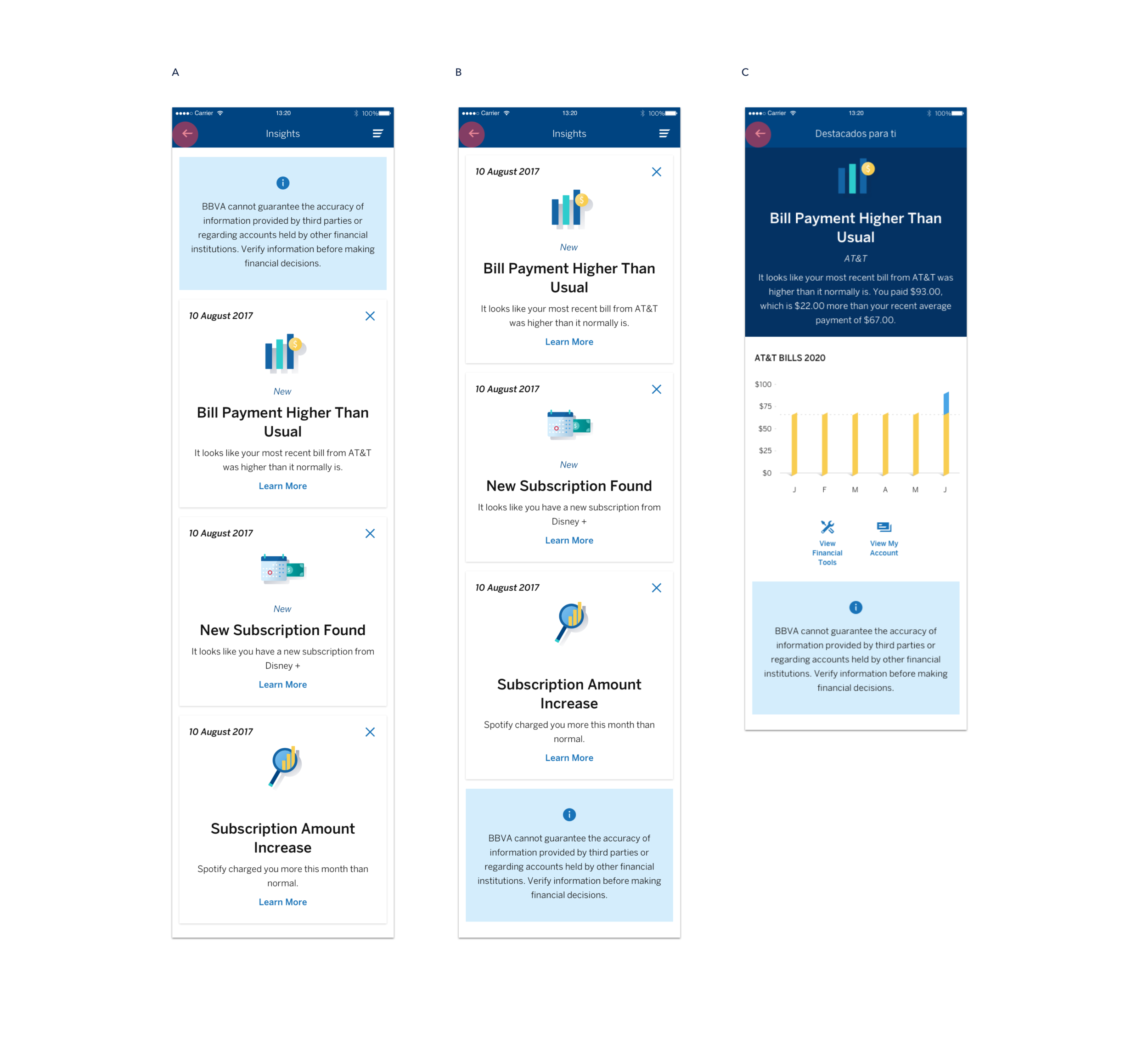
I needed to add legal language to the screen designs, and going into the meeting with them, I knew which option that we wanted to move forward - Option B. Legal didn’t agree with that because they wanted it to be more upfront for the user - from our design perspective, we felt that having it front & center was off-putting because you’re adding an exciting new feature and immediately are met with a disclosure saying that “by the way, this might not be true.” Ultimately, we settled for Option C where the disclosure wouldn’t display on the overall beats page, but would show at the bottom of each individual insight screen.
Option C seems like it might pose more of an obstacle for development — is it more work to add this component to each screen? But, we came to the conclusion that it would just be part of the individual page template.
One Down, One To Go
I got approval! So where do I go from here? I built out each possible flow, thinking through every scenario and every entry point the user could use to access the feature.

To view a higher resolution, click here.
The More Options, The Better
I created several iterations of the widget in online banking. I knew that we had to put the widget in the right rail, an already defined design, and that it had to be towards the bottom because of the existing hierarchy. With that information, I wanted to see what would be in the best interest of the user. So I tried out 6 different layouts, knowing which one would be the best option for the user but also acknowledging that Development or Legal & Compliance could have objections to this design.
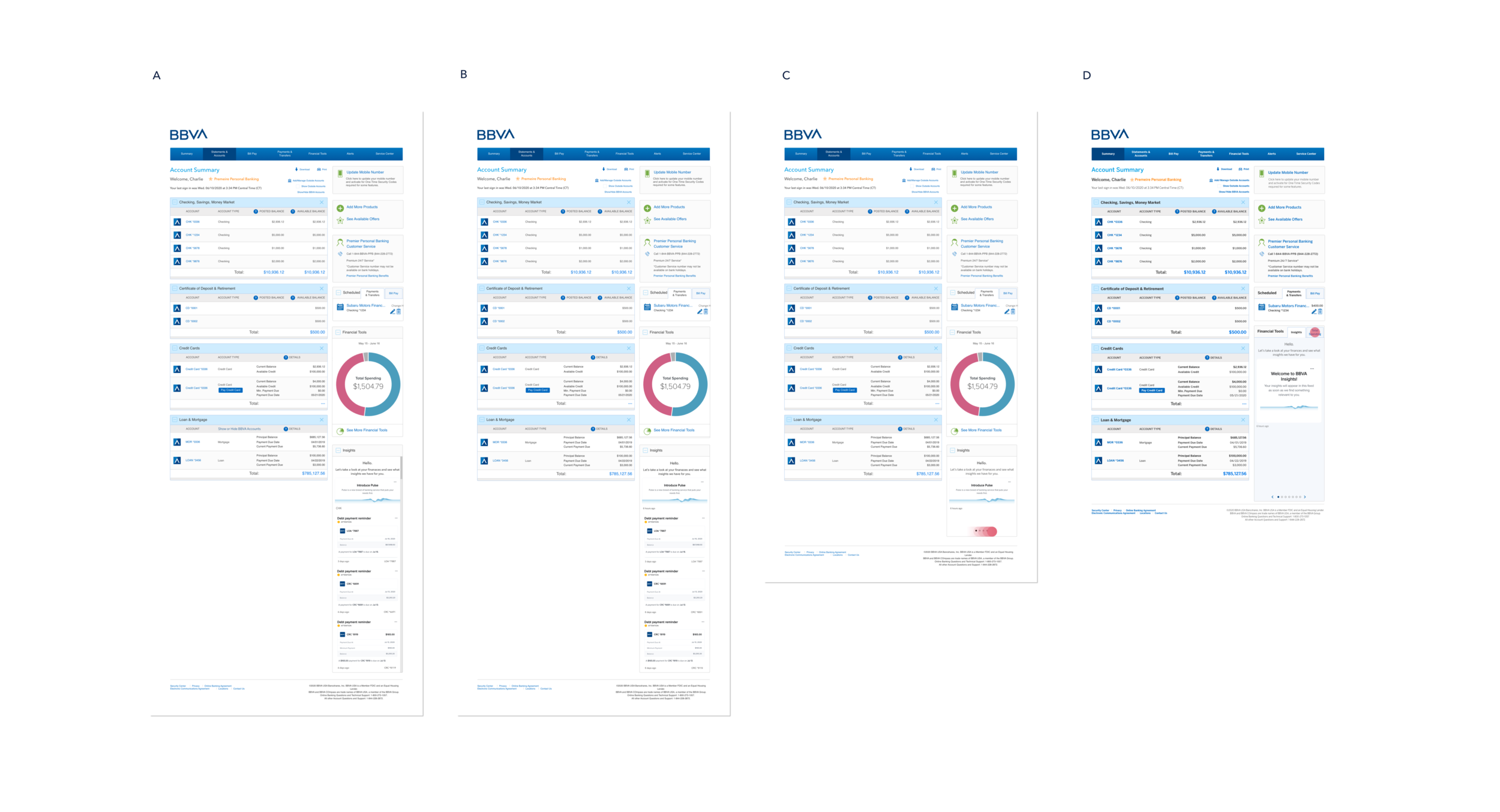
Putting the widget at the bottom in one long, scrollable block.
Widget at the bottom in one long block, no scroll.
Widget at the bottom with the ability to swipe between the cards.
Adding the Insights widget to the Financial Tools widget, taking a cue from existing patterns in OLB, with the ability for the user to toggle between the two. The user could swipe through the insights once they were on that tab. With this, we would add an option for the user to make “Insights” the first tab showing on that widget.
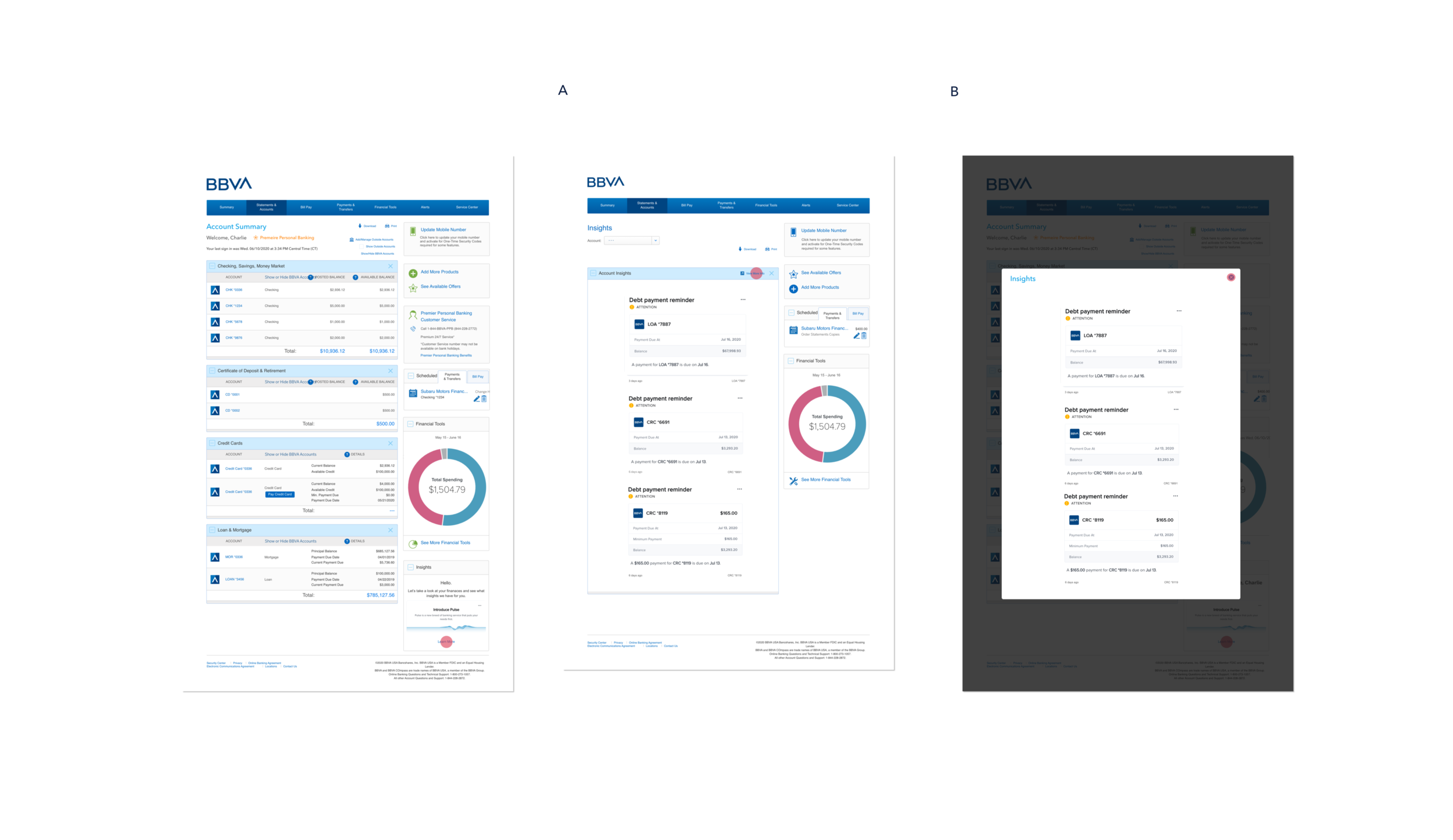
Having the widget at the bottom but only with the introductory card with the option to click on a link that would then trigger a pop-up that would show all of the insights.
Widget at the bottom with only the introductory card with the option to click on a link that would then take the user to a new page that would then show all of the insights.
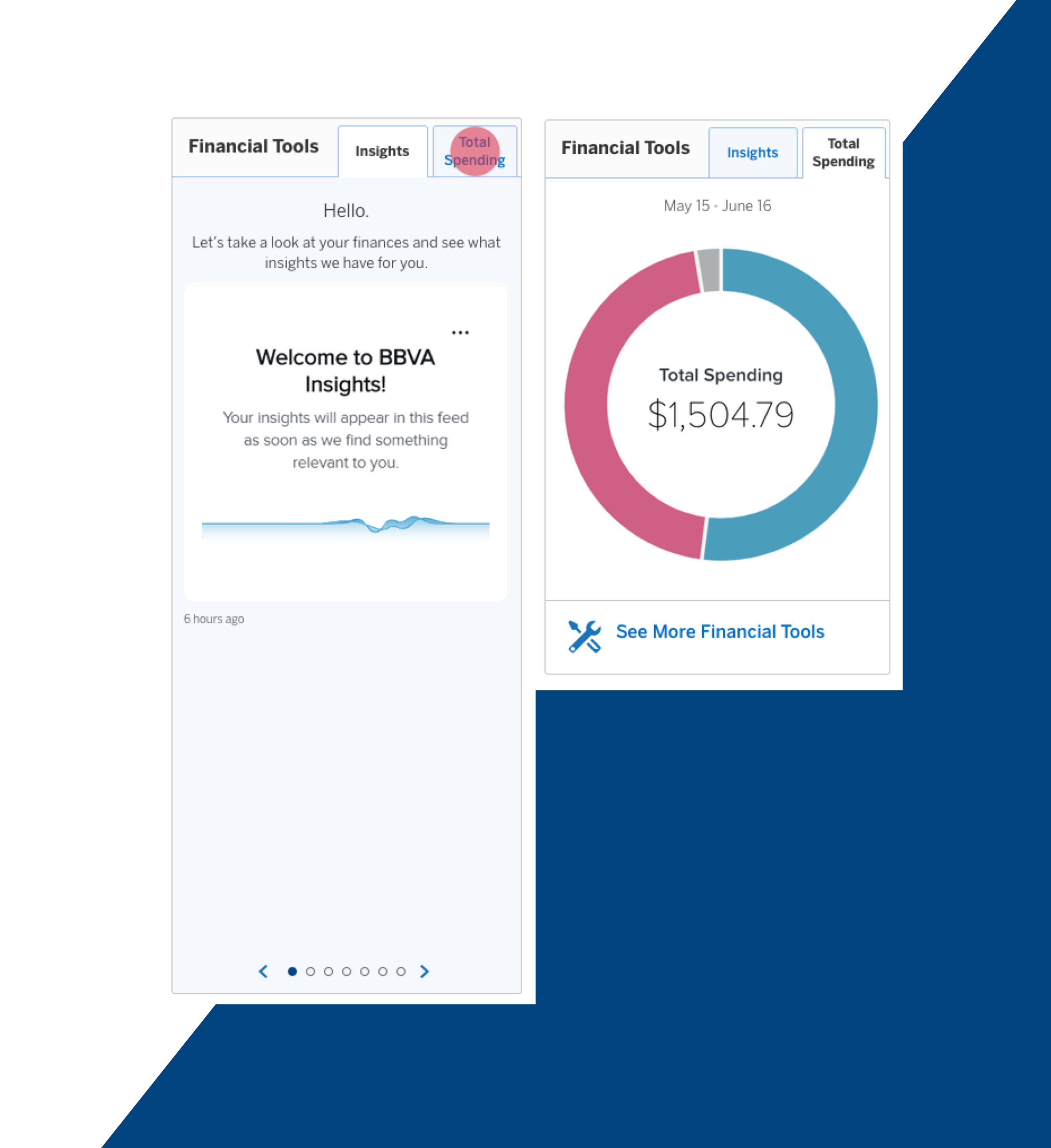
I presented all of these to my Product Owner, Developers, and MX Pulse knowing which one I knew was the best option for the user and the most visually appealing. Spoiler alert, they all agreed with me 🥳
Now that I had the widget designed and approved, I needed to build out each flow - showing the user how to use the widget with the “walkme” feature, the two ways that the user could set Insights as the default view on the widget, showing all of the possible insight cards, and finally where the legal disclosure would go.
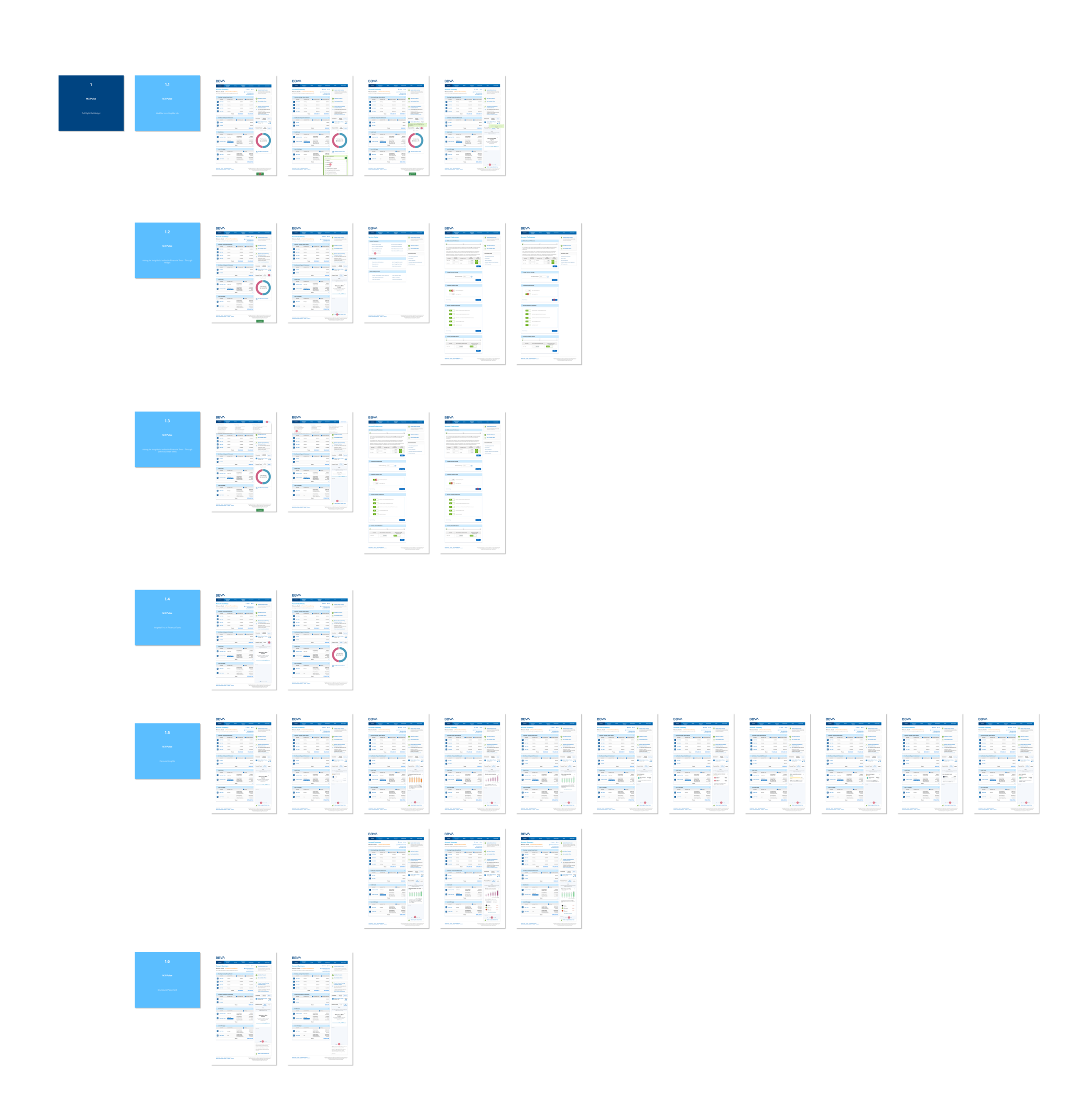
To view a larger version of this, click here.
Developments
We finally got to the point where I could pass my pixel-perfect designs to development and finally see the project in action. I met with my mobile and online banking development teams every few weeks, from emails, messaging, and video calls, to ensure that their code matched my designs and after what felt like months of work, the feature launched.
Lessons Learned
While I don’t have data to show how this feature has improved the BBVA user experience, this was a big project for me to tackle, and one that I felt ownership of. I was tasked with creating these designs from the ground up and it taught me a lot. I worked with almost every member of the team at one point to get it done, whether that was asking for advice from my design lead, working with my product owner to get requirements, asking the development team & MX Pulse about constraints, or asking global to approve the designs.
This project taught me that not all design projects are going to be as exciting or top priority as the previous or next but that doesn’t mean that it isn’t valuable. It’s important to know where design can advocate for the user or when to pull back; to be able to think through each user story and journey; to create something that will positively affect people on a national scale. We’re not changing the world here, but we can make someone’s day just a little easier when we help them make choices and that’s where the magic lies.